
Create Google Login Keys Generation
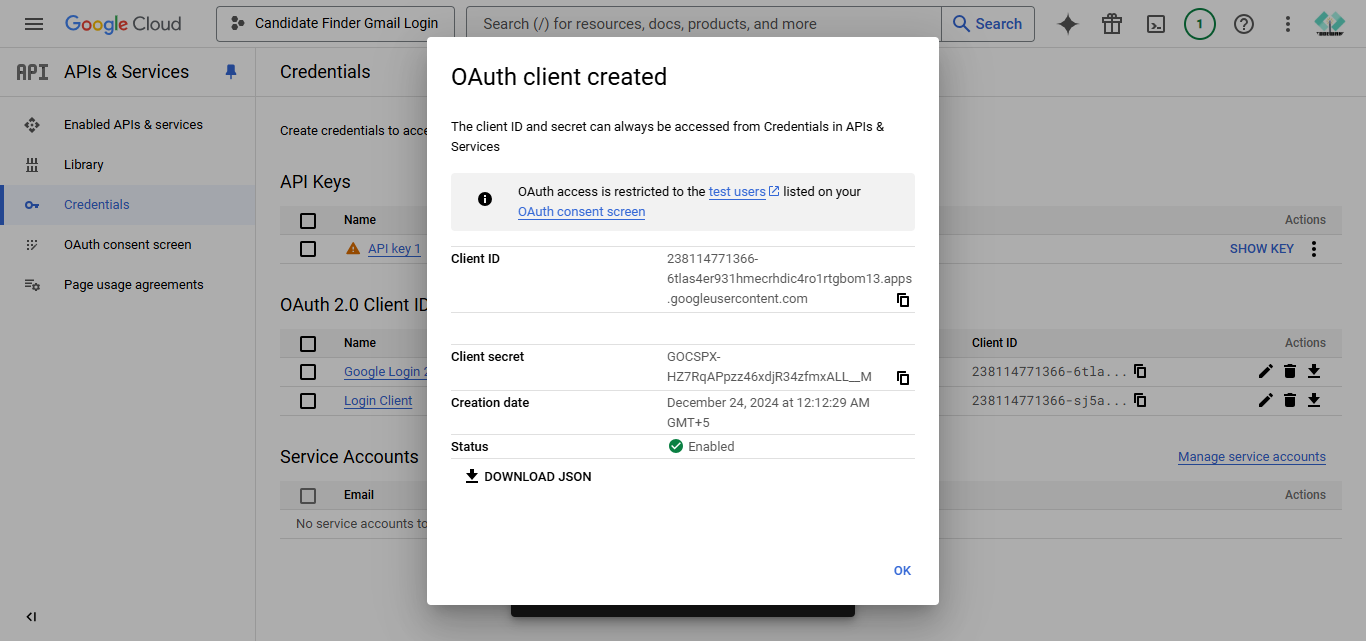
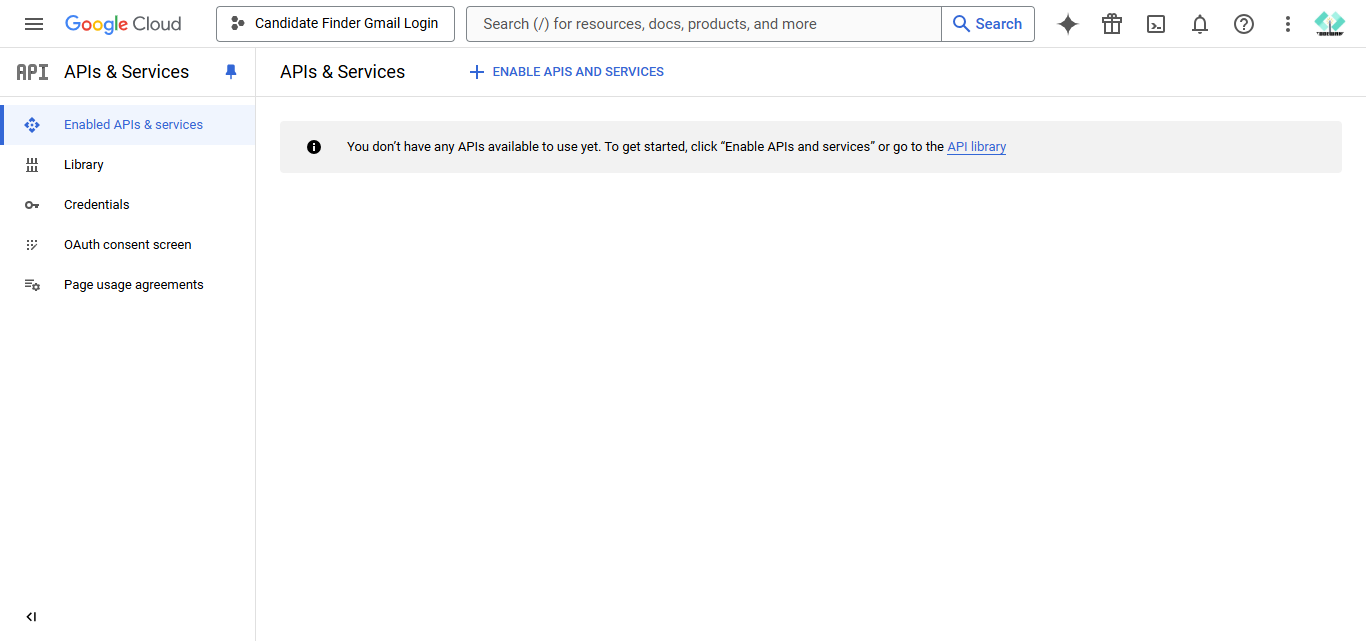
Step 1 : Login with the google account and open the link "https://console.cloud.google.com/apis/dashboard"
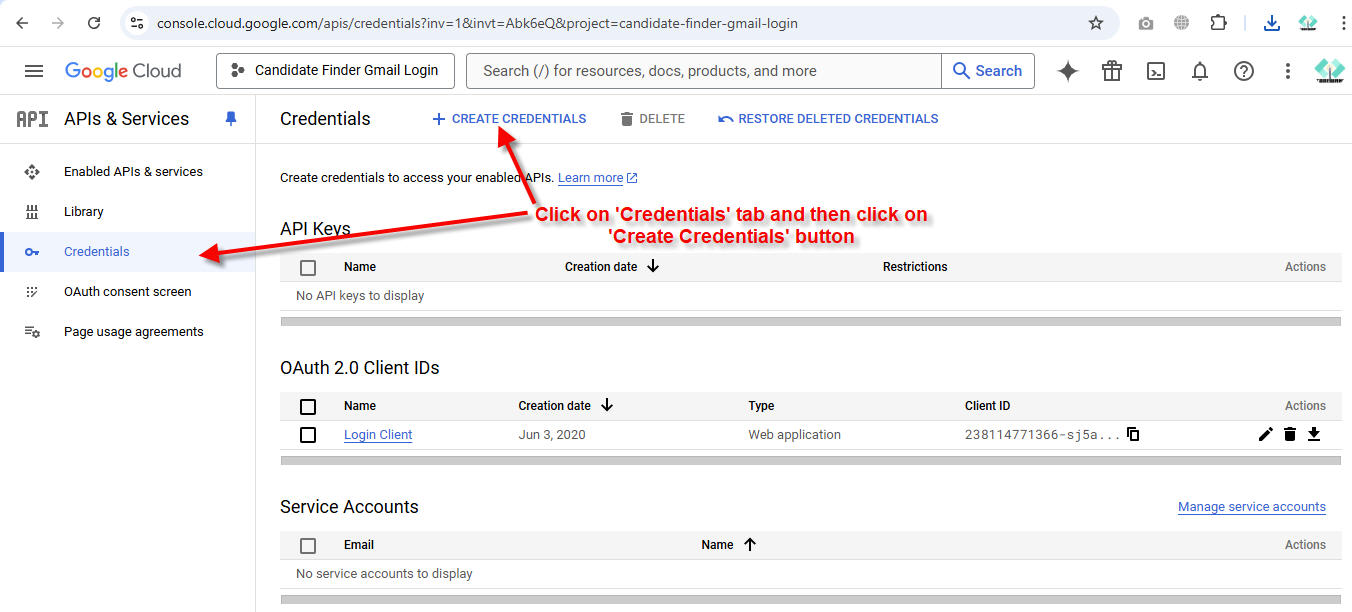
Step 2 : Click on 'Credentials' tab and then click on "Create Credentials" link/button.
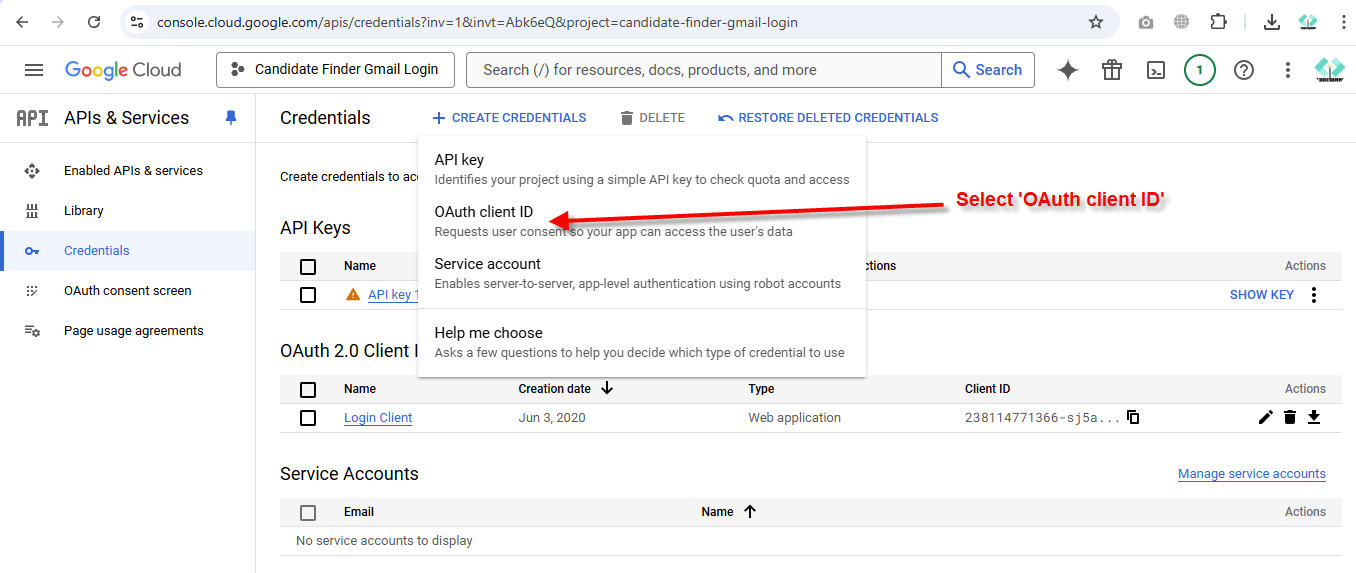
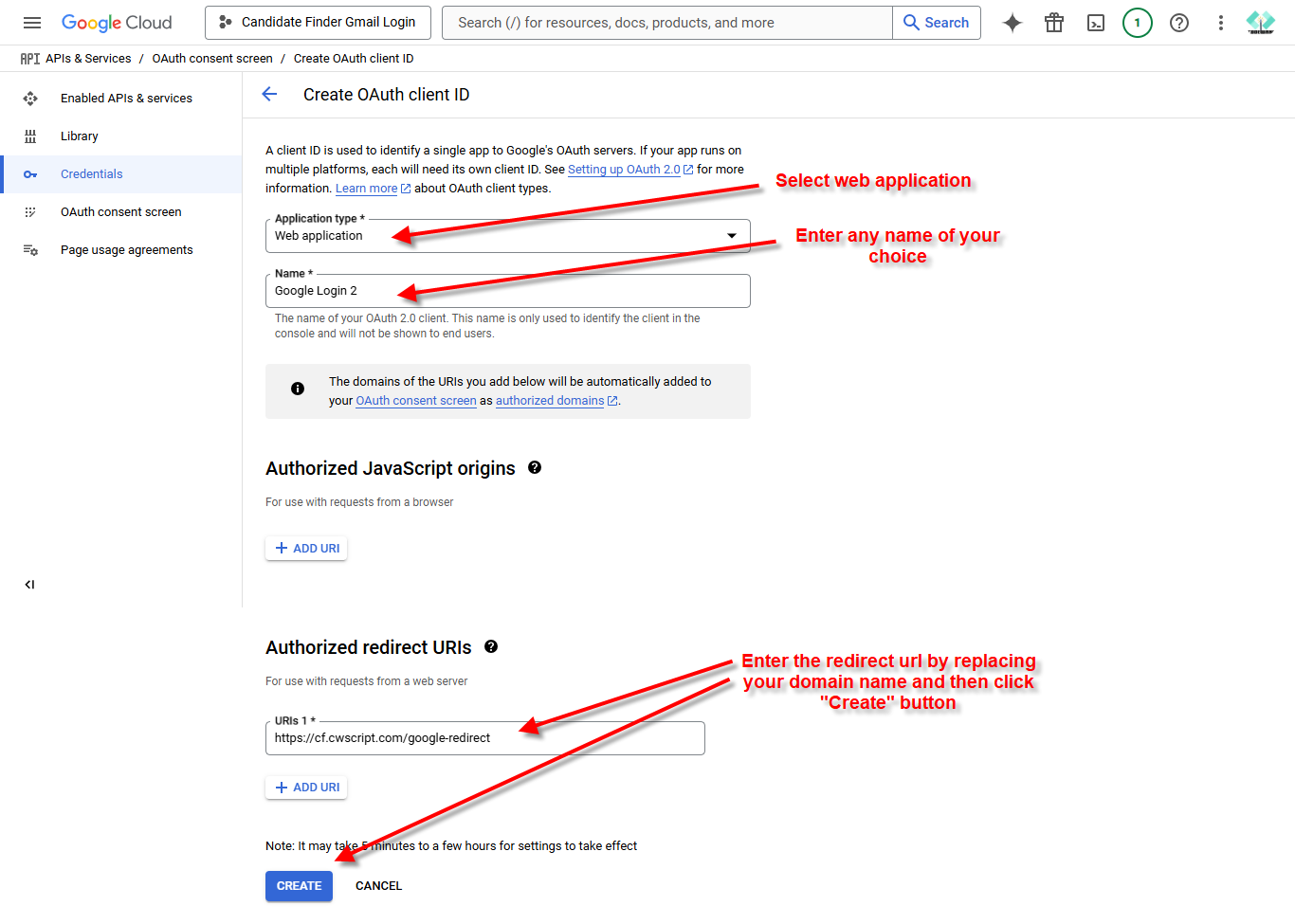
Step 3 : Enter information as shown below and then click create.
Step 4 : Copy/Save the 'Client Id' and 'Client Secret' and paste into Admin -> Settings -> Apis -> Google Login