
Create Linkedin Login Keys Generation
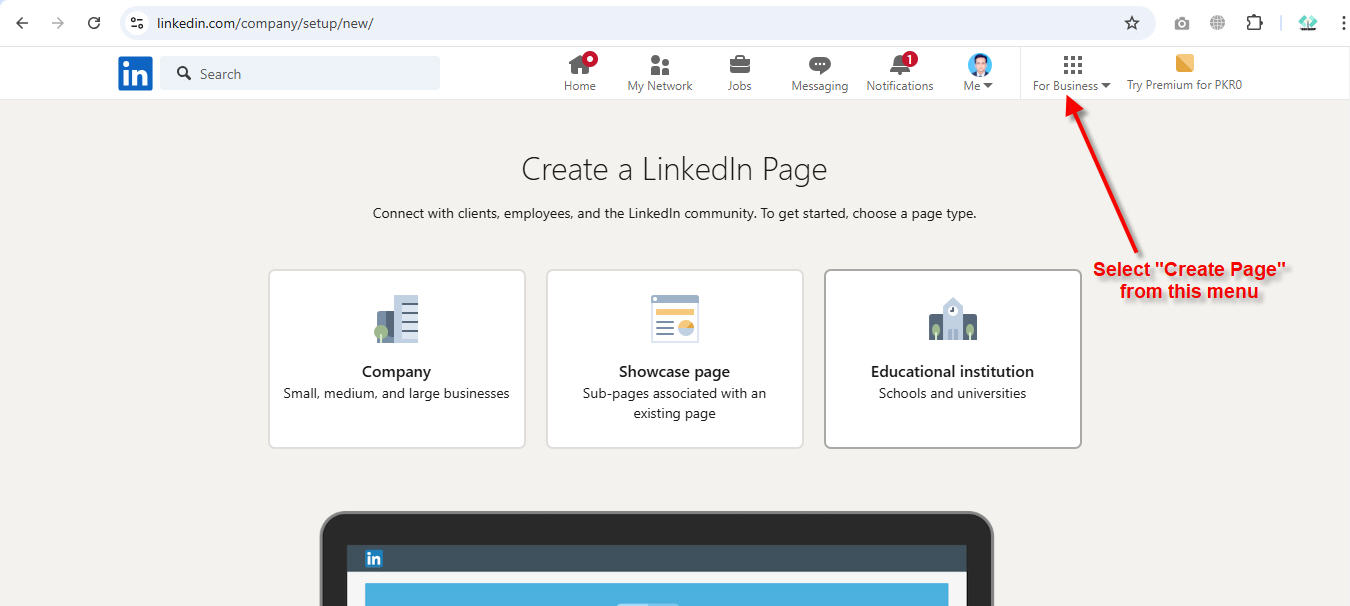
Step 1 : Login with the linkedin account and then click on "Create Page" link from the menu as show below
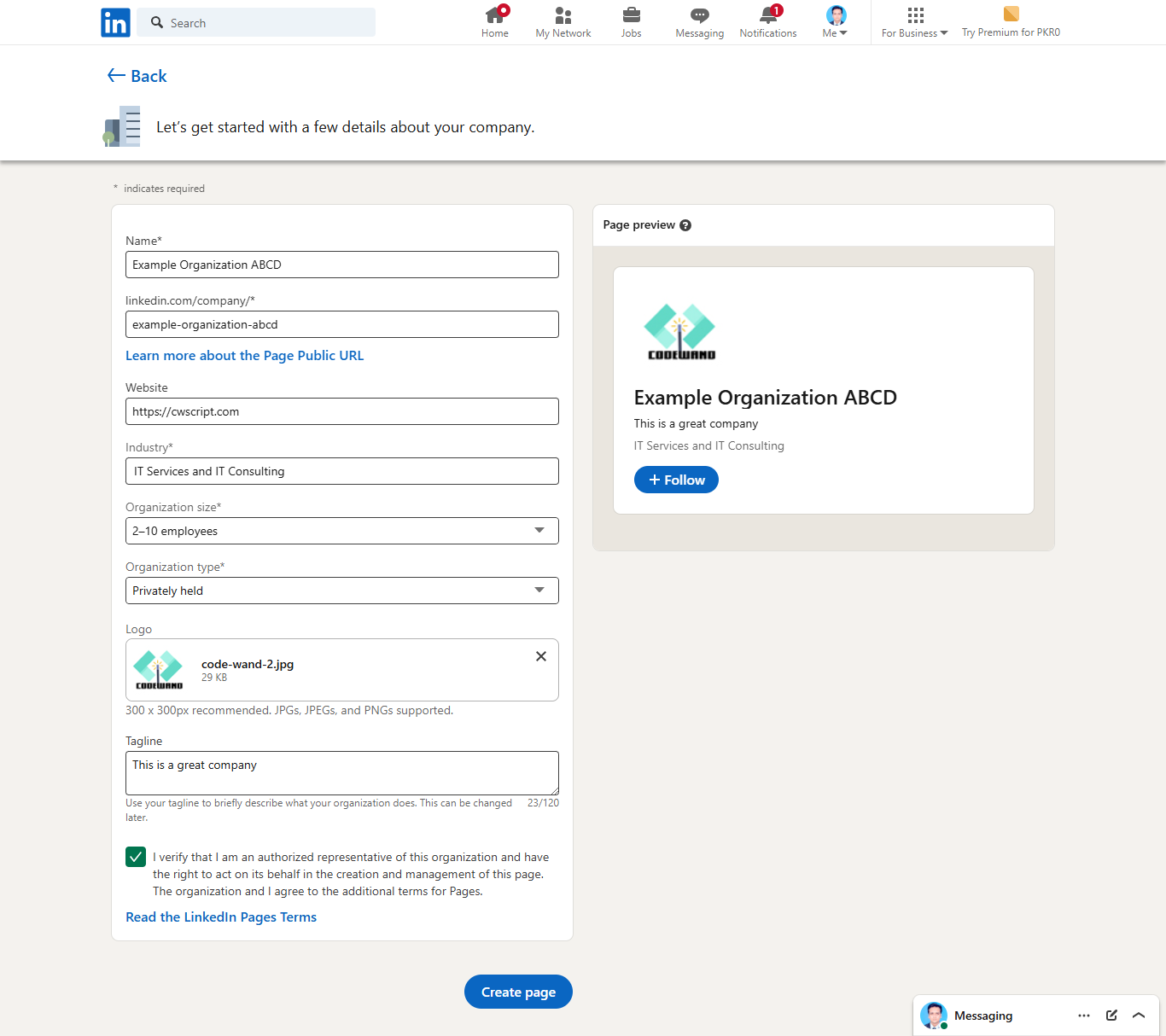
Step 2 : Fill in the information as shown below
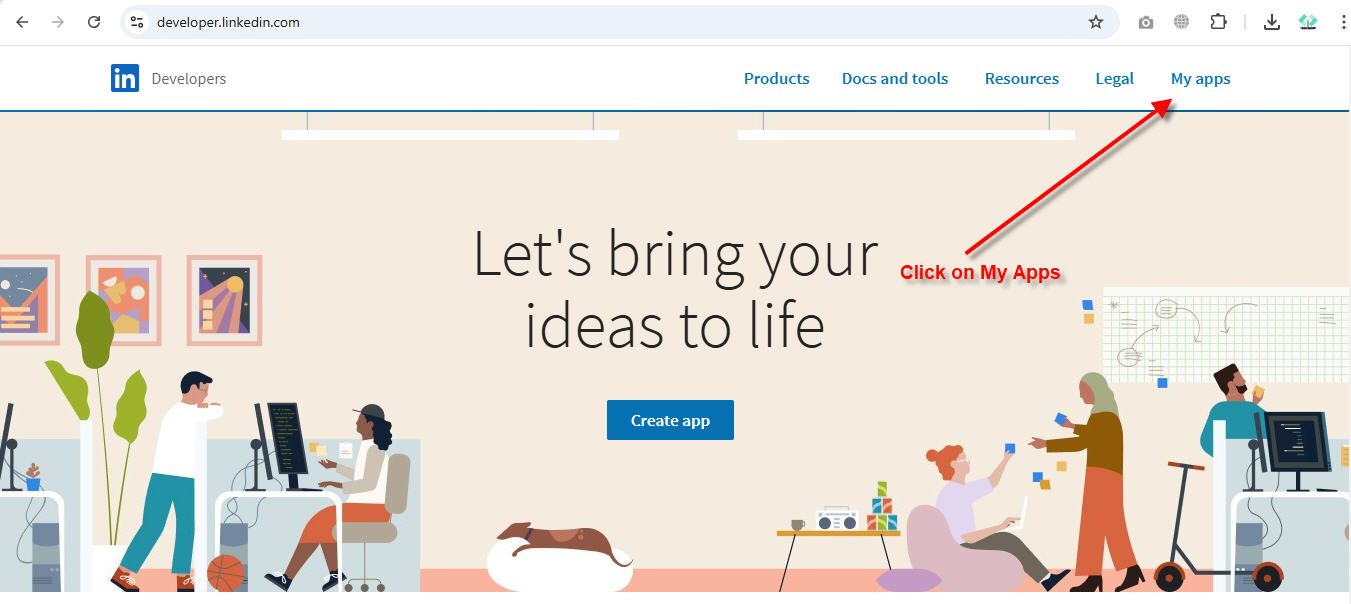
Step 3 : Now go to https://developer.linkedin.com and click on My Apps. Make sure, you are still logged in with your linkedin account.
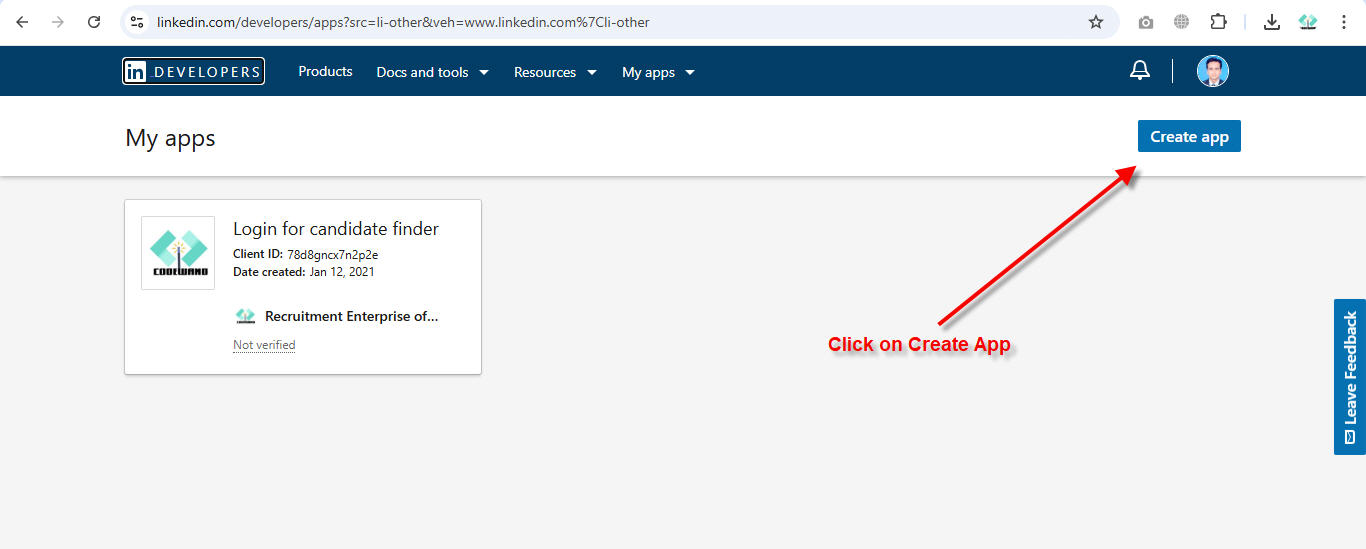
Step 4 : Click on "Create App" button
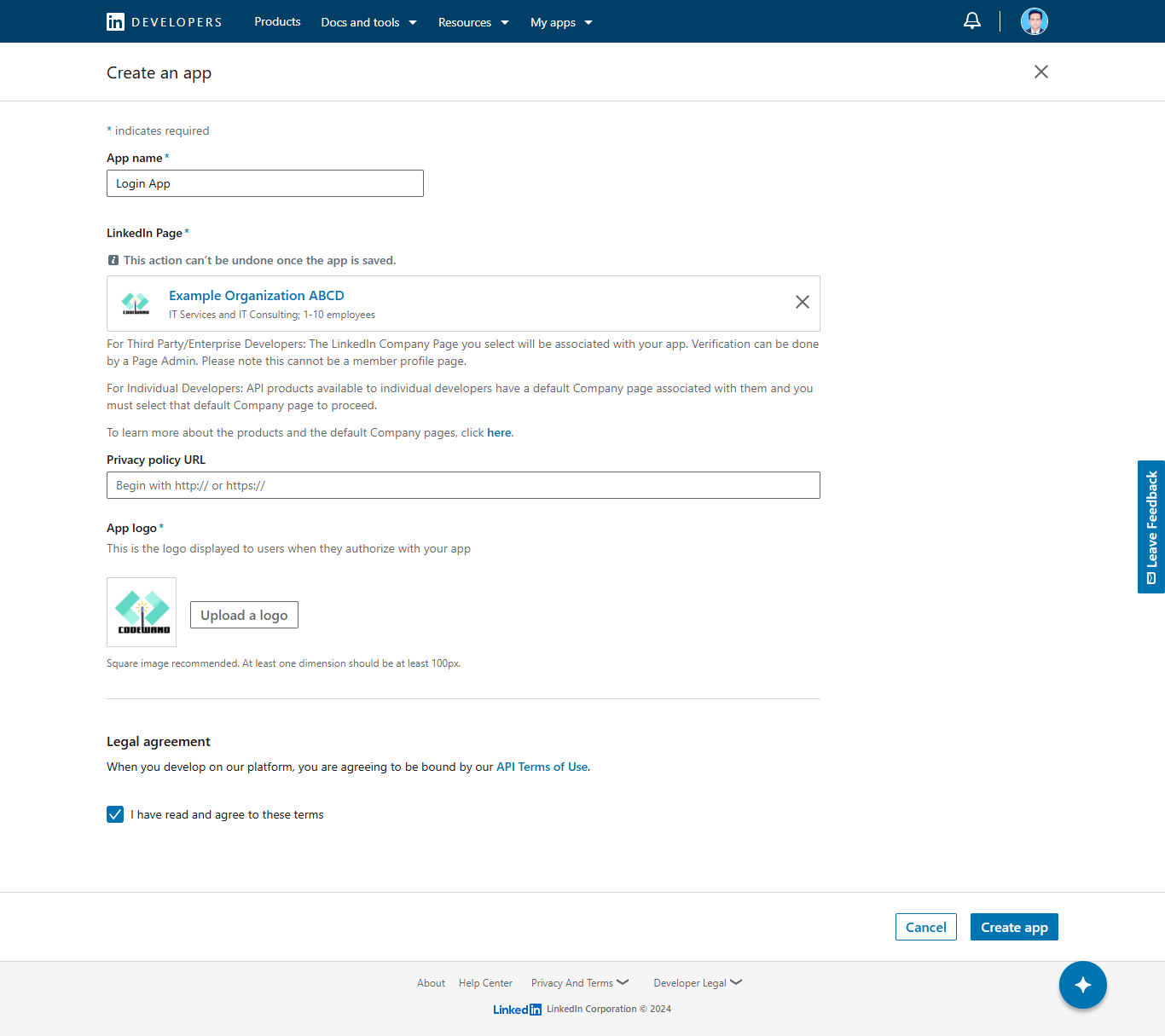
Step 5 : Fill in all the information and select/search the page which has been created in the above steps. It is a mandatory requirement to create the app. After filling up the informations, click on "Create App" button at the bottom of the page.
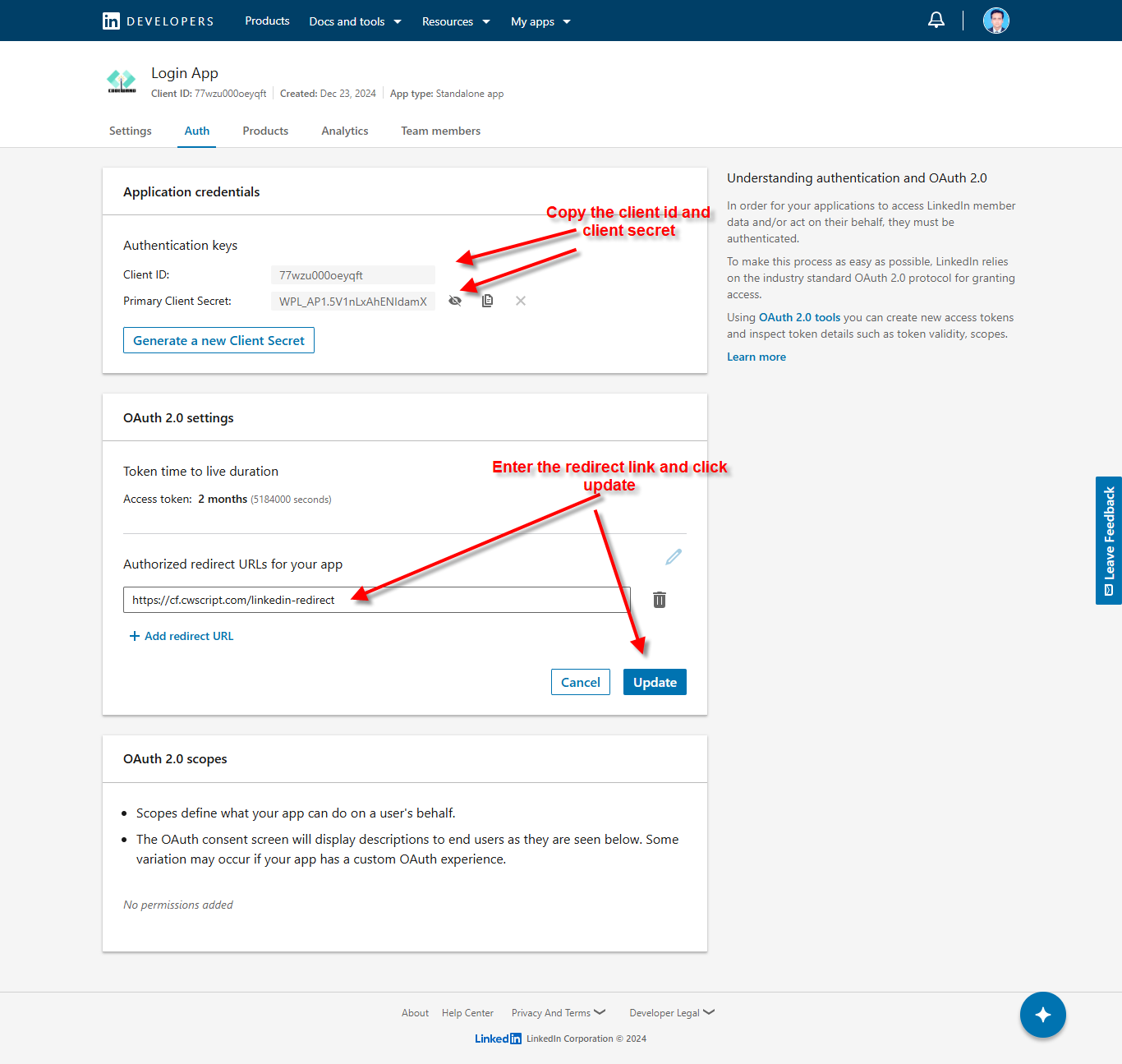
Step 6 : After the app is created, copy/save the 'client id' and 'client secret' key and enter the redirect uri of your site. Replace "cf.cwscript.com" with the actual domain of your site. Now, copy paste the keys in Admin -> Settings -> Apis -> Linkedin Login