
Create Google reCaptcha V2 Keys Generation
Step 1 : Login with the gmail account and then open the Link https://www.google.com/recaptcha/admin
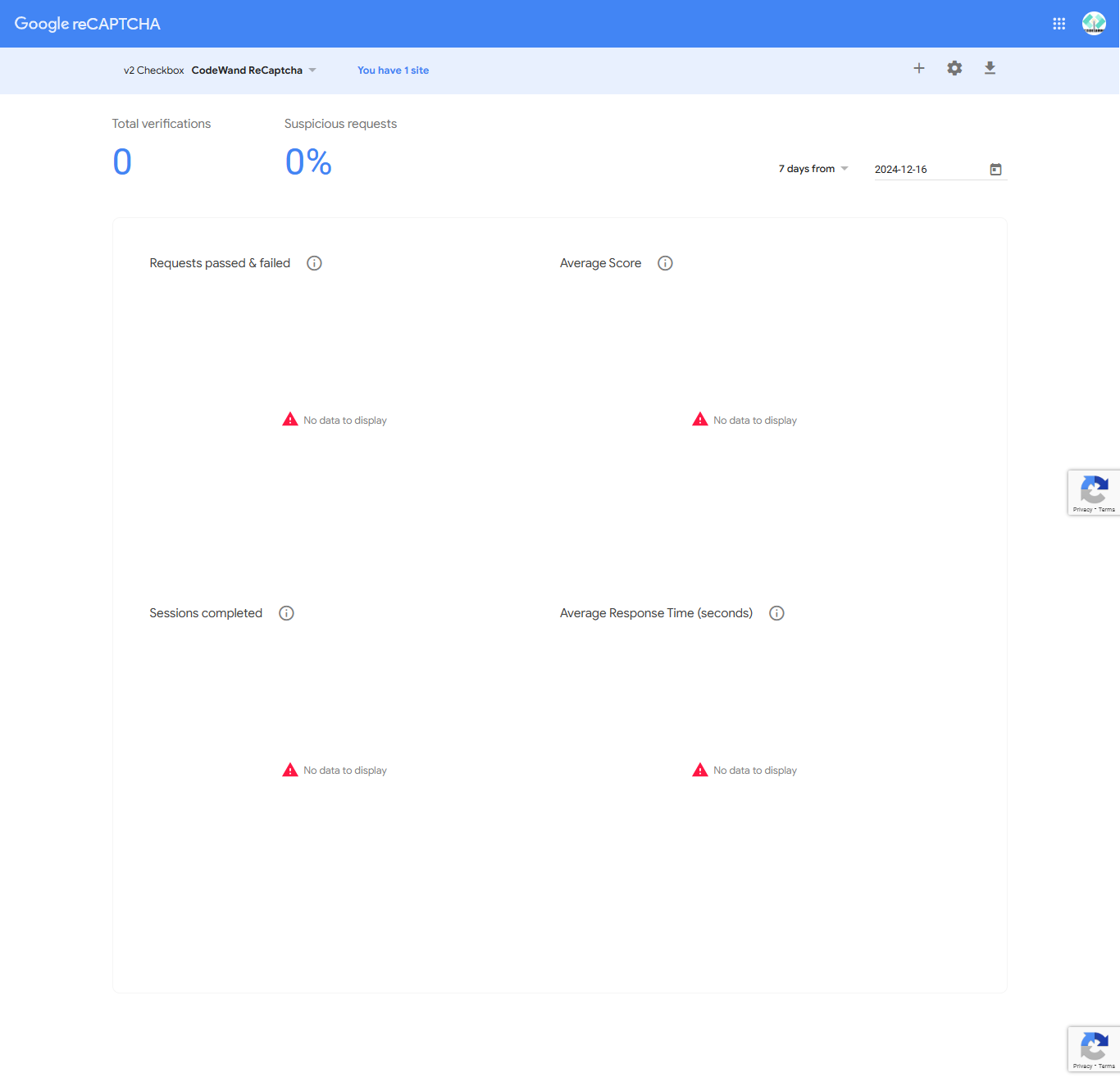
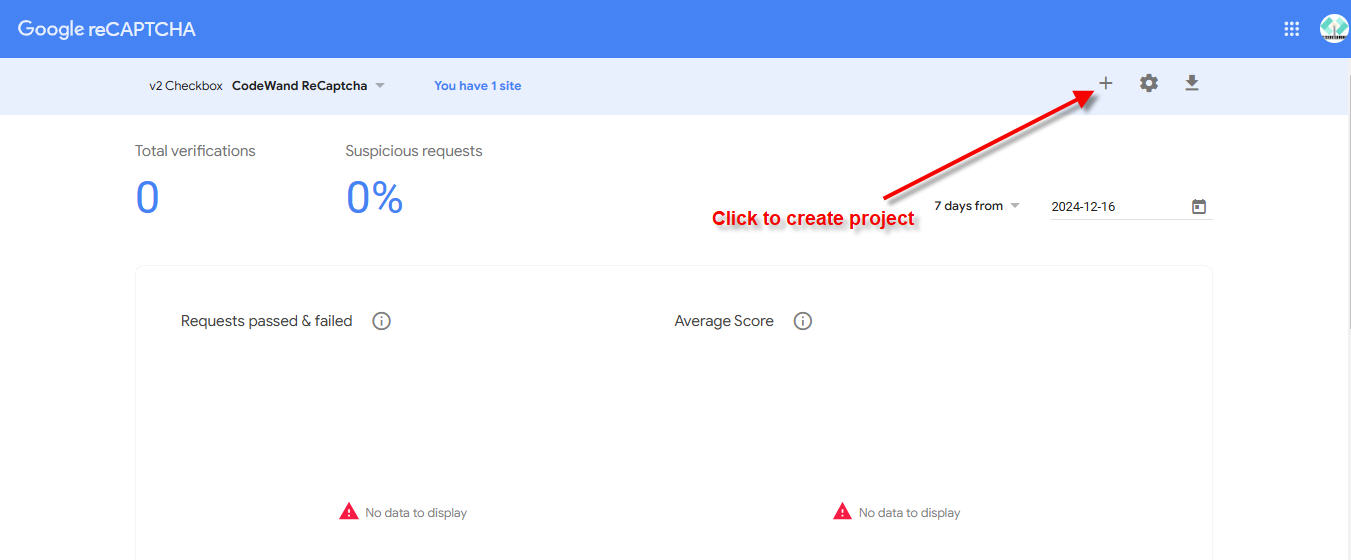
Step 2 : Click on the create project button
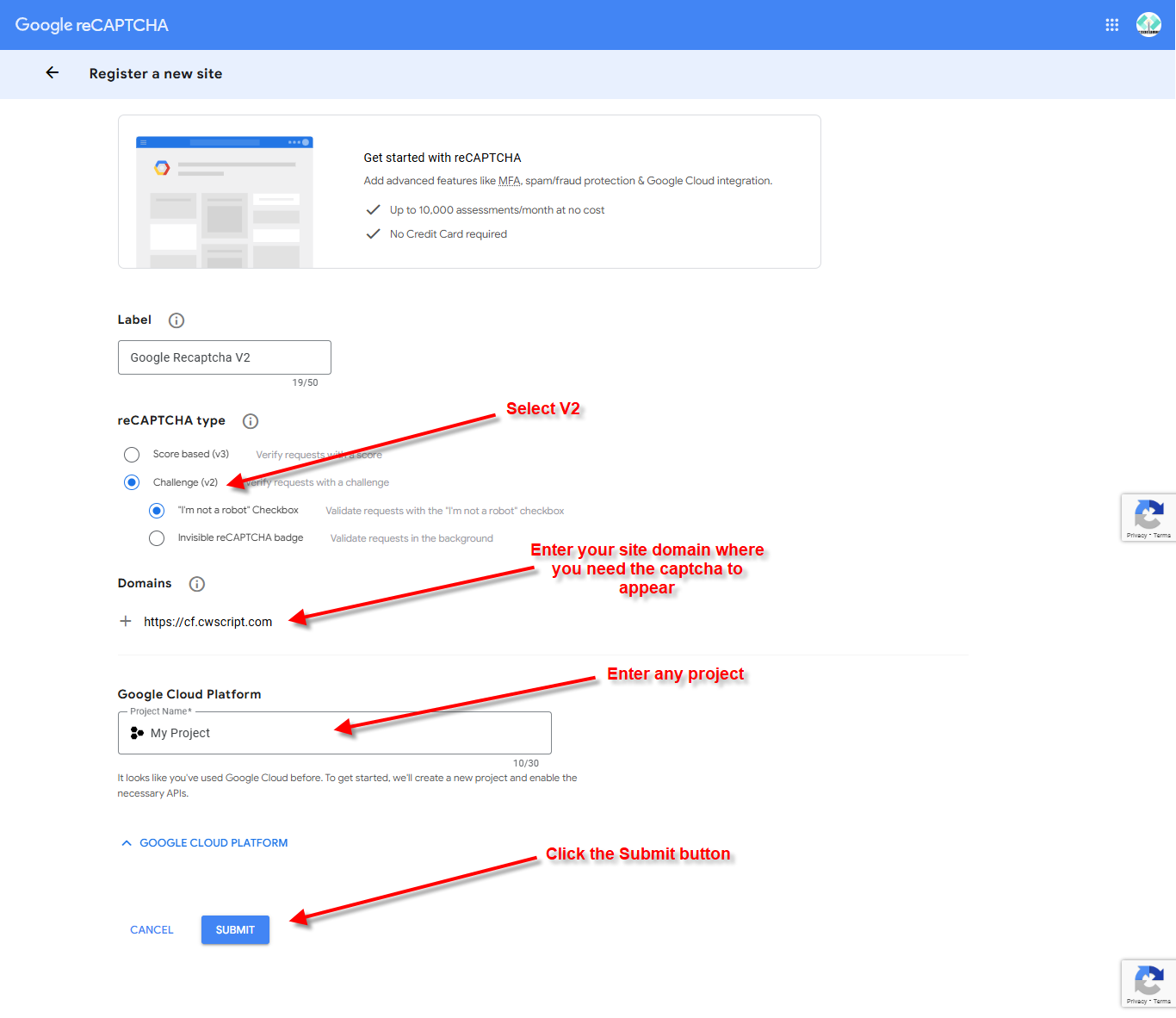
Step 3 : Enter the required details
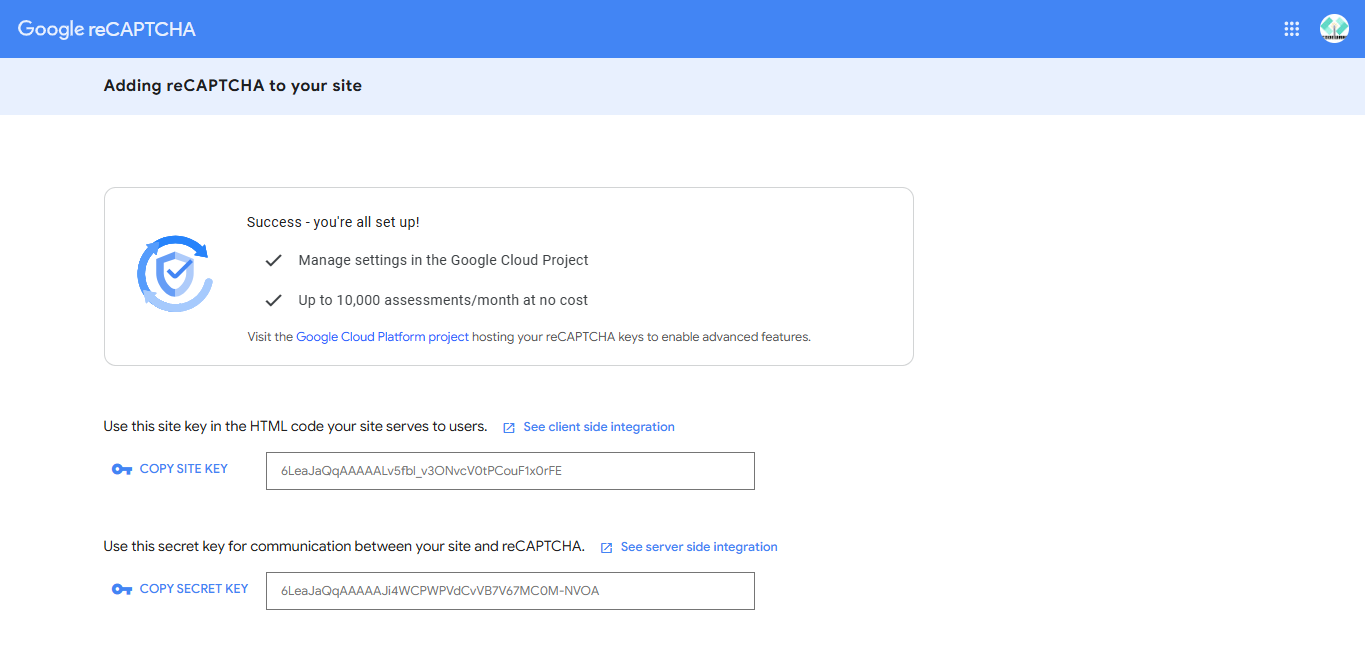
Step 4 : Copy (also save) the keys and enter into Admin -> Settings -> Apis -> Google reCAPTCHA